
Page Selector
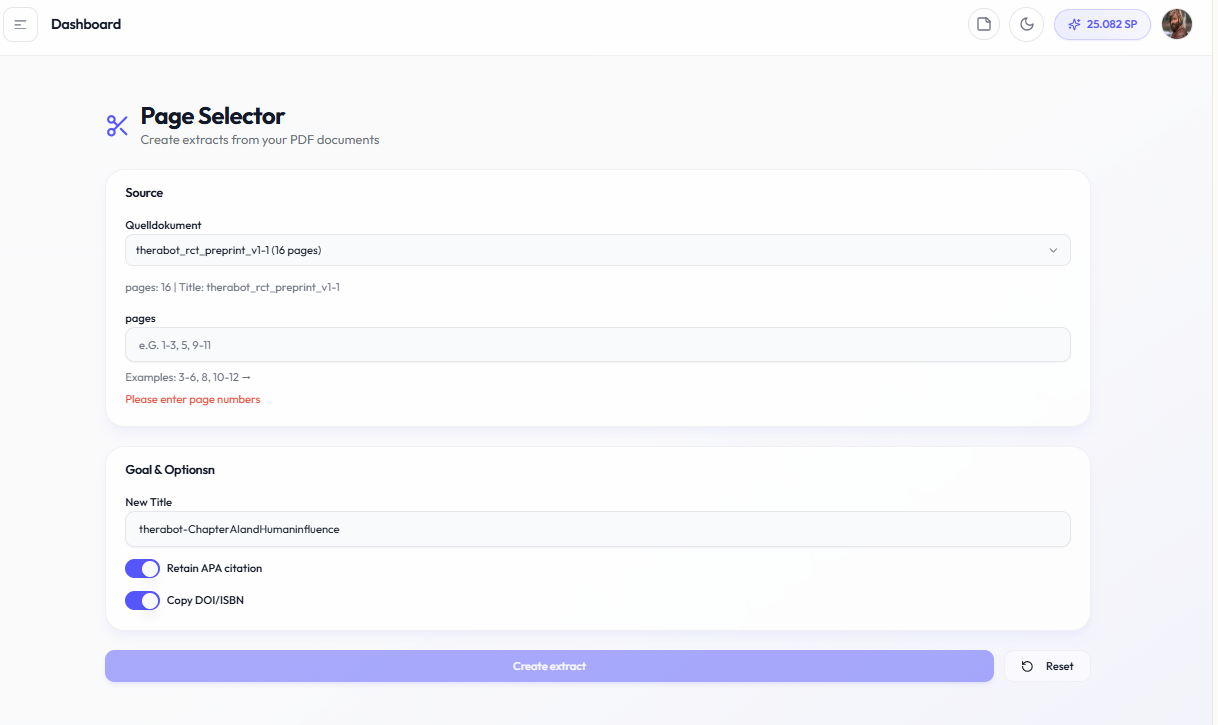
The Page Selector allows you to extract specific page ranges from PDFs, creating focused subsets for analysis or export.
What this section is about
Sometimes you only need certain pages from a large document. This utility helps you select and extract specific page ranges for more focused work.
When you should use this
Use Page Selector when you:
• Need only certain chapters from a book
• Want to focus on specific pages for generation
• Need to create document subsets
• Want to reduce processing time
How it works
1.
Important notes
• Original document remains unchanged
• Extractions are temporary (not saved as new documents)
• Page numbers refer to PDF page numbers
• Useful for very large documents