
Citation Manager
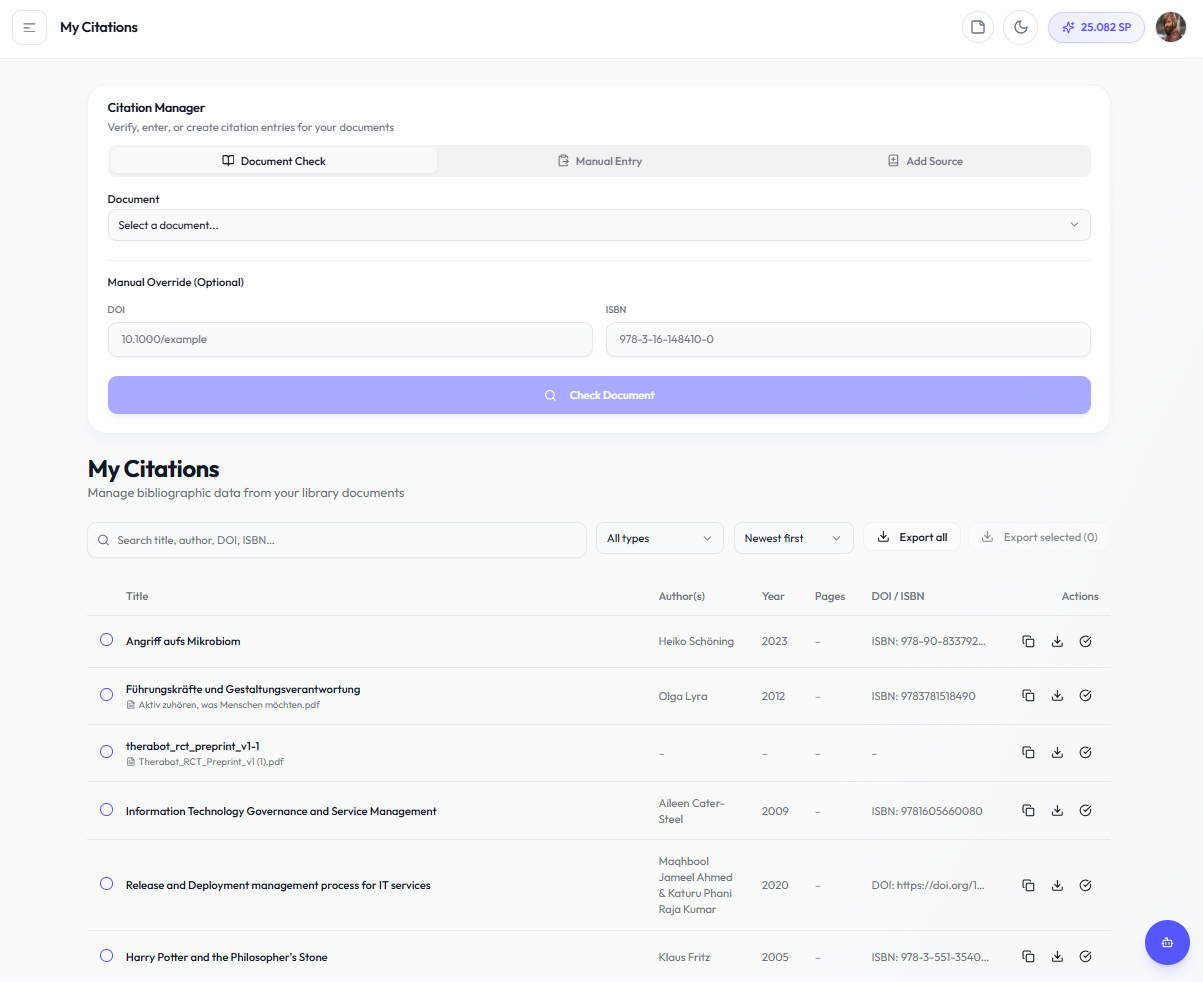
My Citations is your central hub for managing, verifying, and creating citation entries — combining reference checking, manual entry, and your full citation library in one place.
What this section is about
Proper citations are essential for academic integrity. This page brings together three tools in a tabbed interface at the top, plus your complete citation library below:
-
Document Check — Select an uploaded document and verify its existing citation metadata (DOI, ISBN, formatting)
-
Manual Entry — Paste raw bibliography text or enter fields manually to parse and save citations
-
Add Source — Create citation entries for physical sources (books, printed materials) that don't have a digital identifier
Below the tabs, the My Citations table displays all your saved citations with search, filtering, sorting, and export options.
When you should use this
Use My Citations when you:
-
Want to verify citation formatting for an uploaded document
-
Need to manually add a reference by pasting or typing bibliographic data
-
Want to add a physical book or printed source to your citation library
-
Need to check APA7/Harvard compliance
-
Are finalizing your bibliography and want to export citations (e.g. as RIS)
-
Want to detect formatting errors or missing metadata
How it works
Important notes
-
This is a formatting helper and citation library, not a full reference manager
-
Use alongside tools like Zotero or EndNote for complex bibliographies
-
Verify automated suggestions manually
-
Citation styles have variations — always check your university guidelines
Related sections
-
Theory & Background
-
Understanding Proof of Material
No comments to display
No comments to display