
Quick Start Guide
This guide walks you through your first session with Academly. In about 10 minutes, you will understand the core workflow and be ready to start working on your thesis.
What this section is about
The Quick Start Guide provides a step-by-step introduction to the main features of Academly. By the end, you will have explored a topic idea, uploaded a document, and generated your first content draft.
When you should use this
Use this guide when you:
- Are new to Academly
- Want a quick overview of the platform capabilities
- Need to onboard a colleague or fellow student
How it works
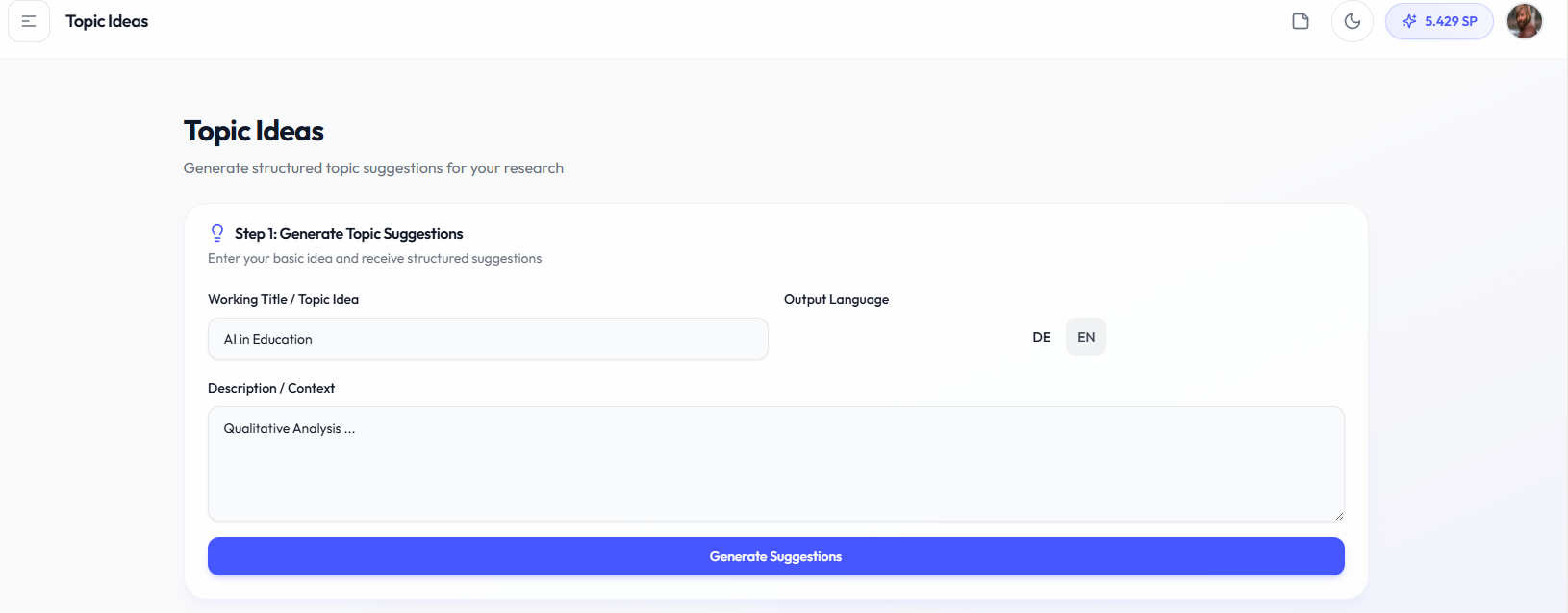
- Step 1: Explore a Topic (5 minutes)Navigate to Writing > Topic Explorer > Topic Ideas from the sidebar.
1. Enter a working title (for example: "Digital transformation in healthcare")
2. Add a brief description of your context
3. Select your output language (German or English)
4. Click "Generate Suggestions"
You will receive three structured topic suggestions, each with research questions, methodology hints, and source recommendations.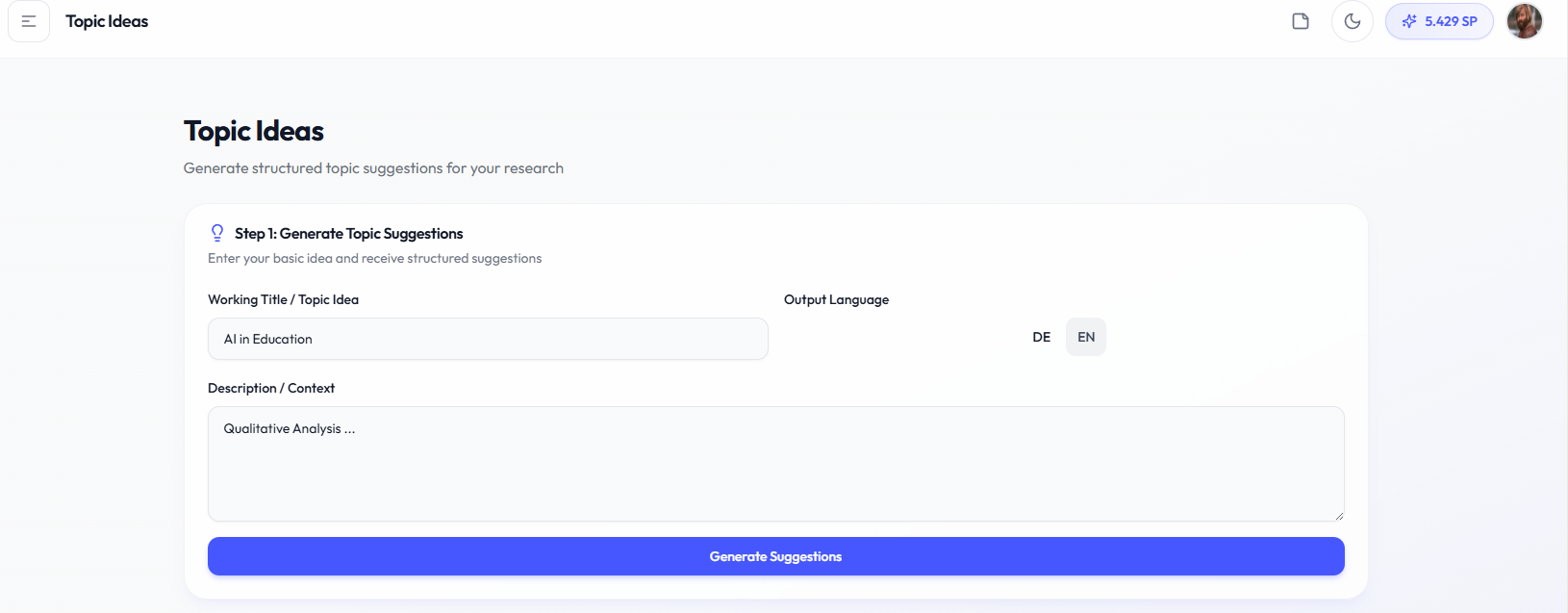
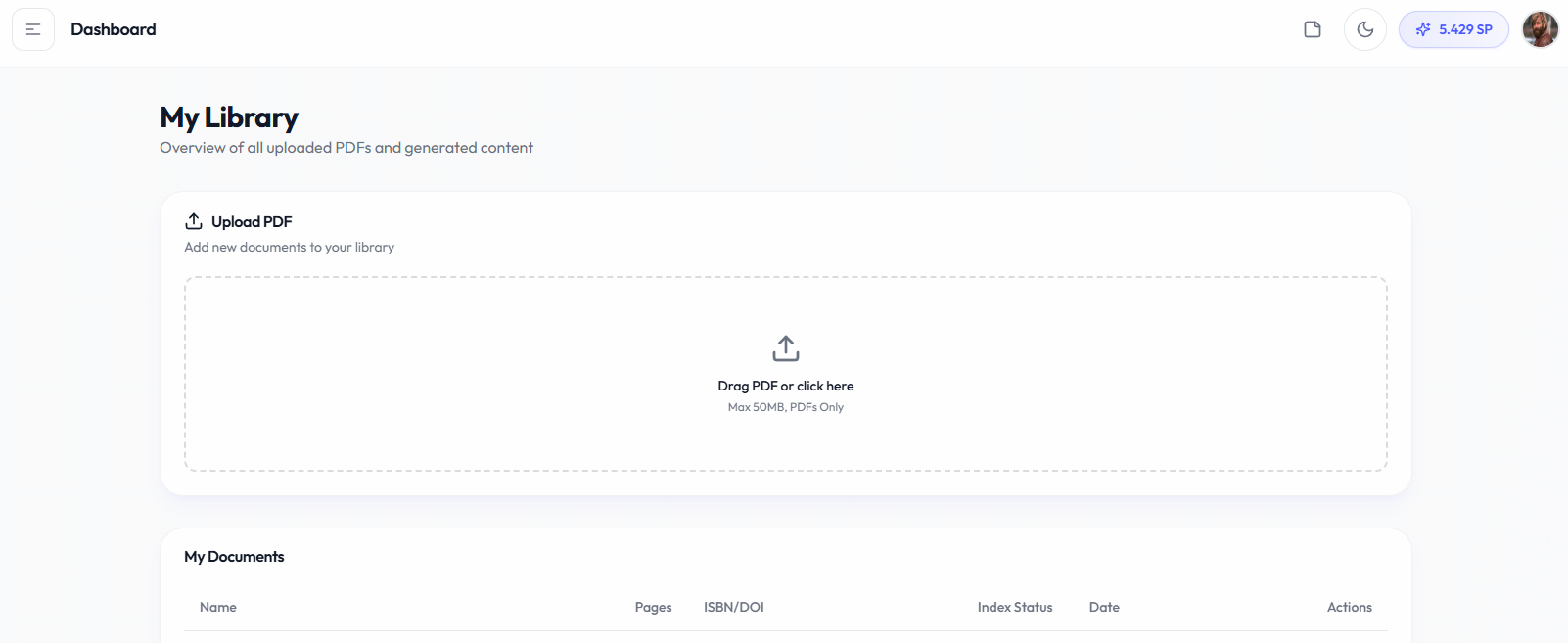
- Step 2: Upload Your First Document (2 minutes)Navigate to Workspace > My Library.
1. Click "Upload Document"
2. Select a PDF from your computer
3. Wait for processing (text extraction and metadata detection)
Your document now appears in the library with extracted page count and citation information.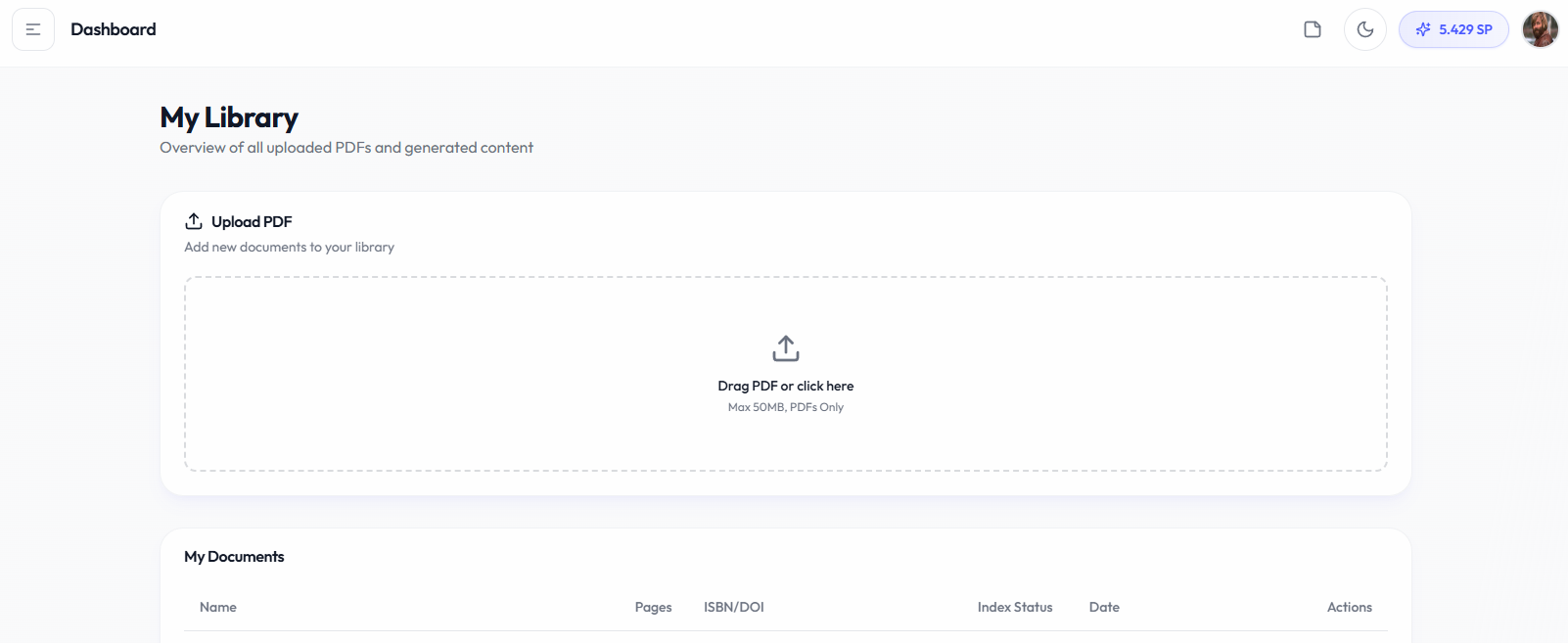
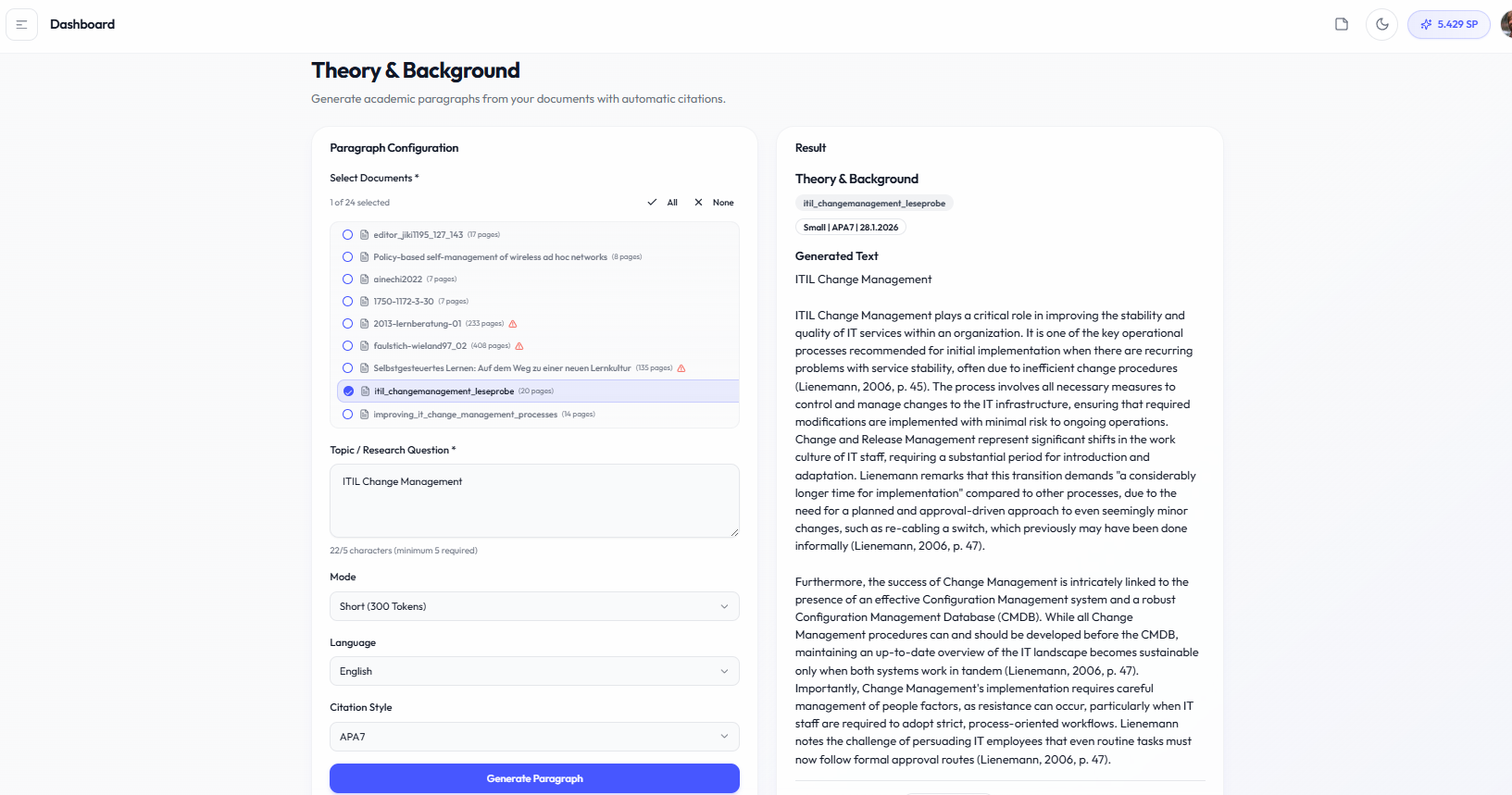
- Step 3: Generate Content (3 minutes)Navigate to Writing > Theory & Background.
1. Select your uploaded document
2. Enter a topic or research question
3. Choose output length and language
4. Click "Generate Paragraph"
The result includes your generated paragraph plus "Proof of Material" showing the exact source quotes.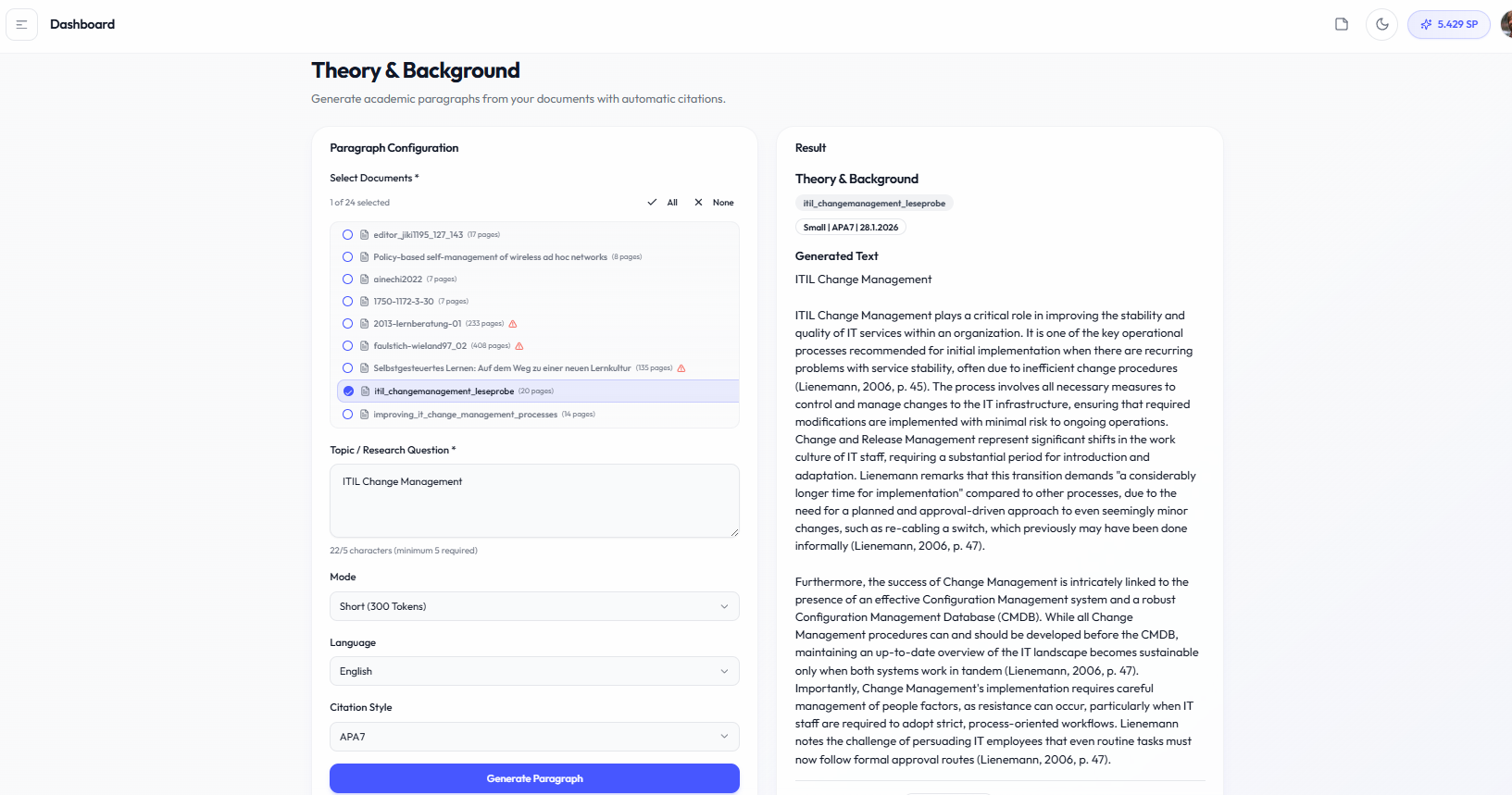
Important notes
• Generation quality depends on your source quality
• Start with shorter outputs to test before generating longer content
• All generated content is saved to your library automatically