
Managing Your Account
Your account page provides access to profile settings, subscription management, and security options.
What this section is about
The Account page is your central hub for managing personal information, viewing usage, updating passwords, and controlling your subscription.
When you should use this
Visit Account when you:
• Need to update profile information
• Want to check subscription status
• Need to change your password
• Want to download your data
How it works
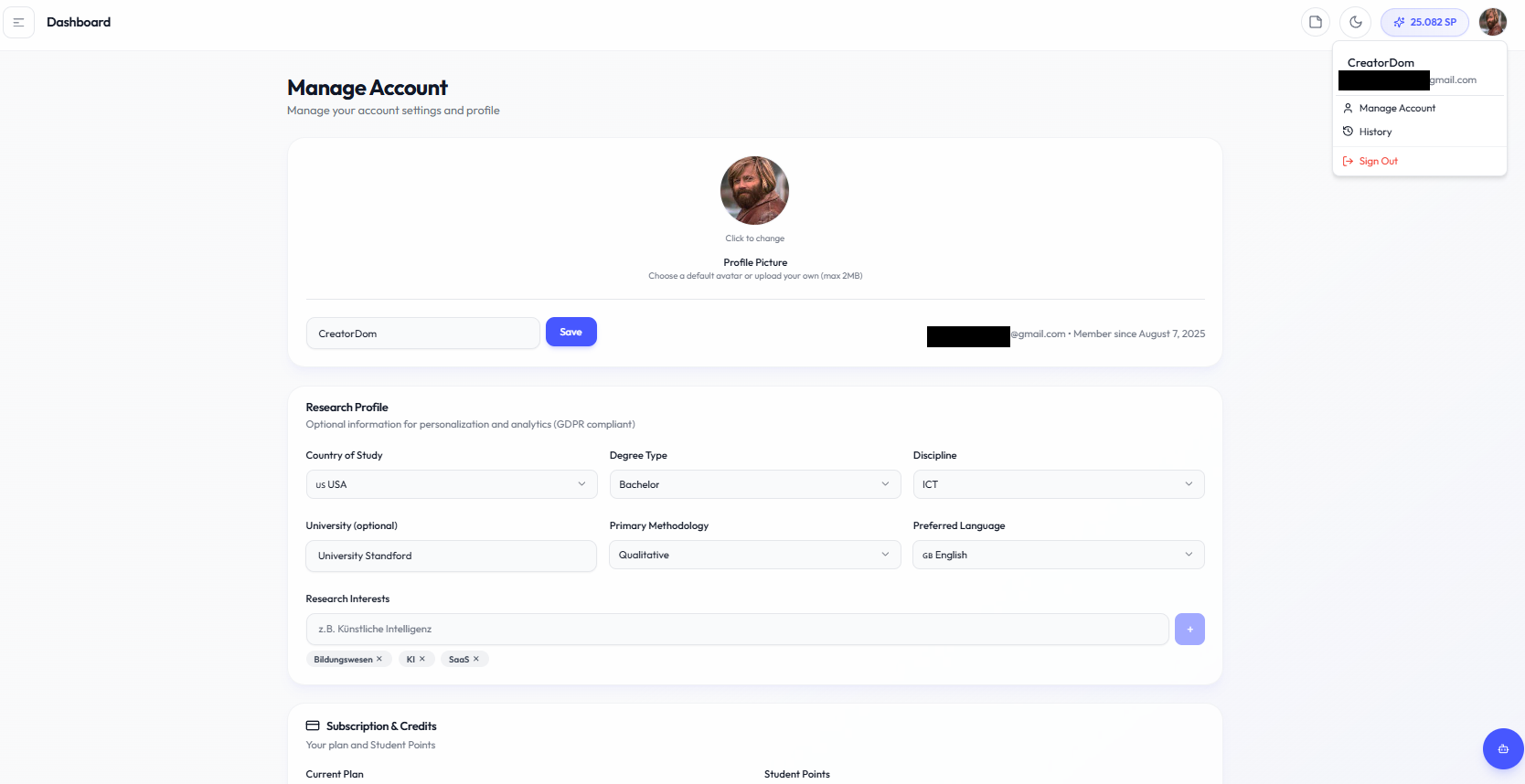
Available sections:
- Profile
• Avatar upload
• Nickname
• Email display - Research Profile (optional)
• Country
• Degree type
• Discipline
• University
• Research interests
• Preferred language - Subscription & Credits
• Current plan
• Student Points balance
• Usage percentage
• Manage subscription button - Password
• Current password
• New password
• Confirm password - Billing
• Access Stripe portal
• View invoices
• Update payment method - Data Backup
• Create and download backup - Danger Zone
• Delete account option
Important notes
• Profile information is optional and GDPR compliant
• Password changes take effect immediately
• Deleting your account removes all data permanently
• Downloaded backups persist after deletion